
How to Start Offering Tech Setup Help as a Side Hustle

Seniors struggle with smartphone settings, video calls with grandkids, and printer connections. Small offices need WiFi troubleshooting, new computer setup, and basic training. If you can do these things without reading a manual, you have a skill people will pay for.
This guide walks through exactly how to offer tech setup help as a side hustle: what services to offer, what to charge, how to find clients, and how to handle jobs professionally. No certifications required, just patience and practical know-how.
- 01
Step 1: Decide what tech services you'll offer
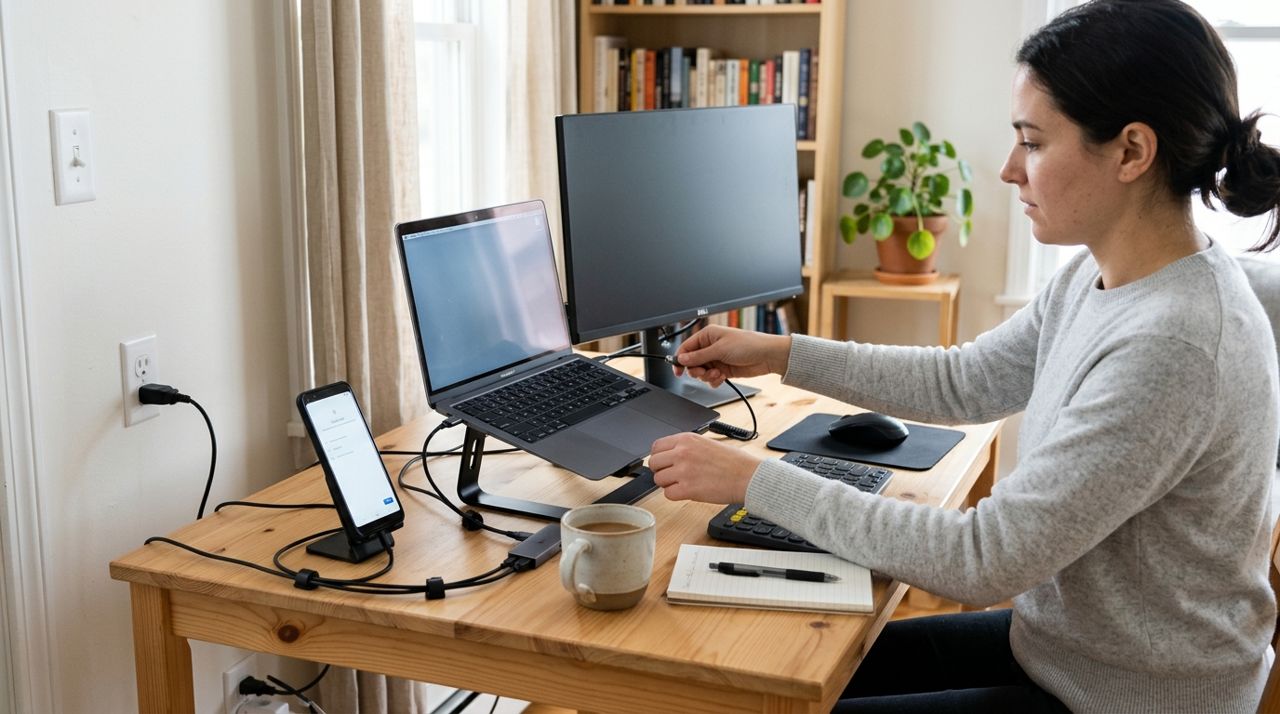
Person setting up a laptop and smartphone on a home desk with cables and devices Start narrow so you can describe your service clearly. Typical offerings include: smartphone or tablet setup (email, apps, photos, contacts), computer setup and software install, printer and WiFi troubleshooting, video call setup (Zoom, FaceTime), smart TV connections, and basic training sessions. For small offices, add network setup, cloud storage, and multi-device sync.
Write a simple list: 'I help with iPhone setup, WiFi problems, printer connections, Zoom calls, and smart home devices.' This clarity makes it easier to explain what you do and helps clients know if you're the right fit. Avoid jargon—your clients don't know what DNS or firmware means, and they don't need to.
- 02
Step 2: Set your rates and typical job times

Notepad with service pricing list next to a calculator and coffee cup Tech help typically runs $35–$75 per hour depending on your city and complexity. Simple jobs (smartphone setup, video call test) take 30–60 minutes. Mid-range jobs (new computer setup, WiFi troubleshooting, printer connection) run 1–2 hours. Training sessions and small-office network setup can go 2–4 hours.
Many helpers charge a flat rate per job type: $40 for smartphone setup, $60 for computer setup, $50 for printer troubleshooting, $80 for a 90-minute training session. Flat rates are easier for seniors to understand than hourly billing. For offices, hourly makes more sense because scope varies. Always give an estimate before you start and confirm if the job takes longer than expected.
- 03
Step 3: List your services where clients look

Hand holding smartphone showing a service listing with description and pricing details Seniors and small offices search locally. Post on neighborhood Facebook groups, Nextdoor, and community bulletin boards at libraries and senior centers. Create a simple flyer with your services, rates, and phone number—hand them to neighbors and leave stacks at coffee shops.
On platforms like Lumo, you can list tech help services and set your job-alert radius to stay local. You pick which types of jobs to accept, set your working hours, and go on or off duty as needed. Clients book directly through the app, you handle the job, and you keep 90% of what you charge. Other platforms include TaskRabbit, Thumbtack, and Craigslist, though fees and lead quality vary.
- 04
Step 4: Prepare for the first client visit
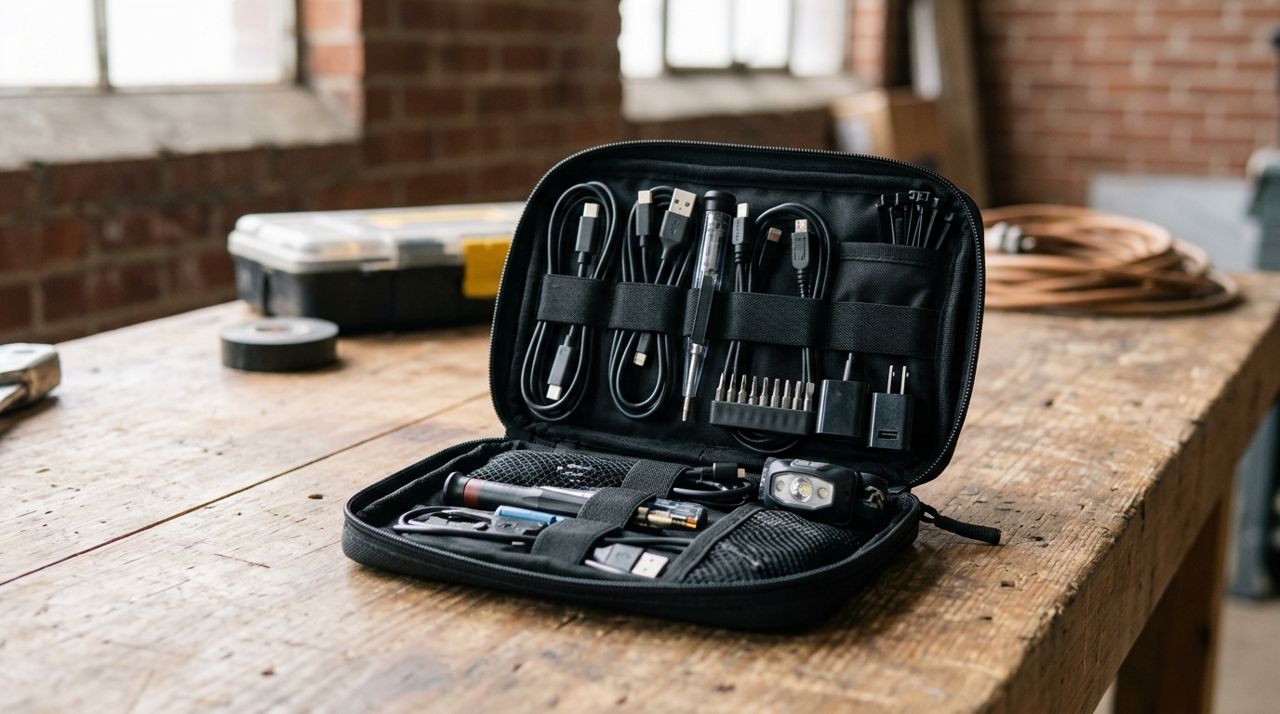
Small bag with charging cables, adapters, and tech tools organized for service calls Before you go, confirm the problem by text or call: 'You mentioned your printer won't connect—what type of printer is it, and are you on WiFi?' This saves a trip if you need to research the device or bring specific cables. Pack a small toolkit: lightning and USB-C cables, HDMI cable, ethernet cable, a small notepad, and your own phone charger.
Arrive on time. Introduce yourself, ask to see the problem firsthand, and explain what you'll do in plain language. For seniors especially, move slowly and explain each step. Write down passwords if they ask—many keep a notebook. Take a photo of the working setup at the end so they have a reference. If something is beyond your skill, say so and offer to research it or refer them to someone else.
- 05
Step 5: Handle the job and follow up

Technician helping an elderly person use a tablet at home kitchen table Solve the immediate problem, then show the client how to avoid it next time. If you fixed a WiFi connection, show them where the router is and how to restart it. If you set up email, show them how to delete spam. Seniors appreciate a quick reference card with steps written in large print.
Before you leave, ask, 'Is there anything else while I'm here?' Often clients remember a second small issue that takes two minutes. Send a follow-up text the next day: 'Just checking—everything still working okay?' This builds trust and often leads to referrals. Ask happy clients if they'd be comfortable referring you to friends or leaving a review.
- 06
Step 6: Grow through word of mouth and repeat clients

Professional shaking hands with satisfied senior client in home office setting Tech help grows by referrals. Seniors talk to friends at church, book clubs, and doctor's offices. One happy client can send you five more. After a successful job, say, 'If you know anyone else who needs help, I'd appreciate you passing along my number.'
Offer a 'tech checkup' package: $60 for a quarterly visit to update software, clear storage, check backups, and answer questions. This creates steady income and catches problems before they become emergencies. Small offices especially value a regular contact who knows their setup. Keep a simple spreadsheet of clients, what you fixed, and when to check in. A text every few months—'Hi, just seeing if your printer is still behaving'—keeps you top of mind.
- 07
Step 7: Stay safe and set boundaries

Person completing a secure payment transaction on a smartphone screen Most clients are grateful and respectful, but set boundaries early. If a job is taking much longer than quoted, pause and renegotiate: 'This is more complex than I expected—it'll take another hour, which means an extra $50. Want me to continue?' Get agreement before you keep working.
For safety, let someone know where you're going and text when you leave. Trust your gut—if a situation feels off, you can decline or reschedule. Avoid jobs that involve personal data recovery or financial account access unless you're confident; liability gets complicated. Payment through an app like Lumo protects both sides—clients pay securely by card, and you get paid without handling cash or dealing with awkward conversations about money at the door.
Pro tips
- Keep explanations simple—use 'click the blue button' instead of 'access the settings menu.'
- Bring your own hotspot in case their WiFi is the problem you're fixing.
- Charge travel time for jobs more than 20 minutes away, or set a service radius.
- Screenshot the final working setup so clients have a visual reference if things change.
Frequently asked questions
- Do I need certifications to offer tech setup help?
- No. Most clients need basic help that doesn't require formal credentials—smartphone setup, printer connections, video calls. If you're comfortable walking a neighbor through these tasks, you're qualified. Certifications like CompTIA A+ can help with more advanced work but aren't necessary to start.
- How do I handle a problem I can't fix?
- Be honest immediately. Say, 'This is outside my experience, but let me research it and get back to you,' or refer them to a specialist. Clients respect honesty more than guessing. Charge only for the time you spent, even if you didn't solve it.
- What if a client's device breaks after I leave?
- If you didn't cause it, explain that technology sometimes fails coincidentally. Offer to come back and troubleshoot for your normal rate. If you did cause damage, own it and offer to cover repair costs. Liability insurance for side hustles (around $200–$400 per year) protects you in worst-case scenarios.
Tech setup help is a practical side hustle because the need never stops—there's always someone who can't get their printer to work or needs help with a new phone. Start with a short list of services, set clear rates, and focus on the basics. Your patience and plain-language explanations are worth more than advanced skills. The work is steady, clients are grateful, and referrals build naturally.
Photos are illustrative. Service prices are typical ranges and vary by city. How we write our guides.
More guides like this

How to Start a Cleaning Side Hustle with Basic Supplies
You don't need a franchise or expensive equipment to start earning as a cleaner. With a few basic supplies and the right approach, you can book your first clients this week.

How to Start a Handyman Business with Just Your Toolbox
You already own the tools. This guide shows you how to turn them into a profitable handyman business, from pricing your first job to building a steady client base.

How to Start a Dog Walking & Pet Sitting Side Hustle in 2025
Dog walking and pet sitting can bring in $300-800 a week working part-time, and you set your own hours. Here's how to launch your pet care side hustle from day one.